Tests
To run tests, the project needs to set up:
a folder tree with various geospatial formats
a PostGIS database
a uData instance to run publish operations
Commands below are meant to be used on Linux Bash but can be adapted to your own operating system.
System requirements
Git
Docker >= 22
DicoGIS locally cloned
Testing setup
In your virtual environment:
Install data fixtures:
git clone --depth=1 https://github.com/qgis/QGIS-Training-Data.git ./tests/fixtures/qgisdata
python -m pip install -U gisdata -t ./tests/fixtures
Launch full composition (PostGIS + uData):
docker compose -f "tests/container/docker-compose.dev.yml" up -d --build
It’s also possible to launch only PostGIS container:
docker compose -f "tests/container/docker-compose.dev.yml" up -d --build 'postgis'
Try it out
Inventory
On files:
dicogis-cli inventory --verbose --input-folder tests/fixtures
On PostGIS:
PGSERVICEFILE="./tests/fixtures/database/pg_service.conf" dicogis-cli inventory --verbose --pg-services dicogis_test
Tip
You can also connect to the database through QGIS during the container life cycle:
Recommended: create a QGIS profile dedicated to DicoGIS:
qgis --profile dicogis
In QGIS settings, add an environment variable
PGSERVICEFILEpointing to the file undertests/fixtures/database/pg_service.conf: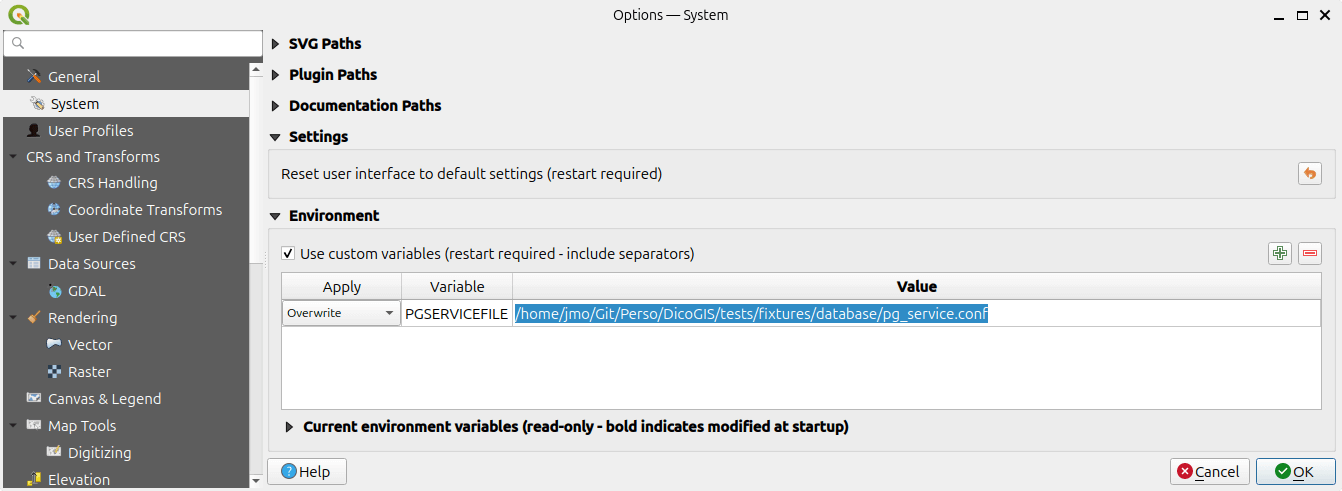
Restart QGIS
Create a connection with the following fields:
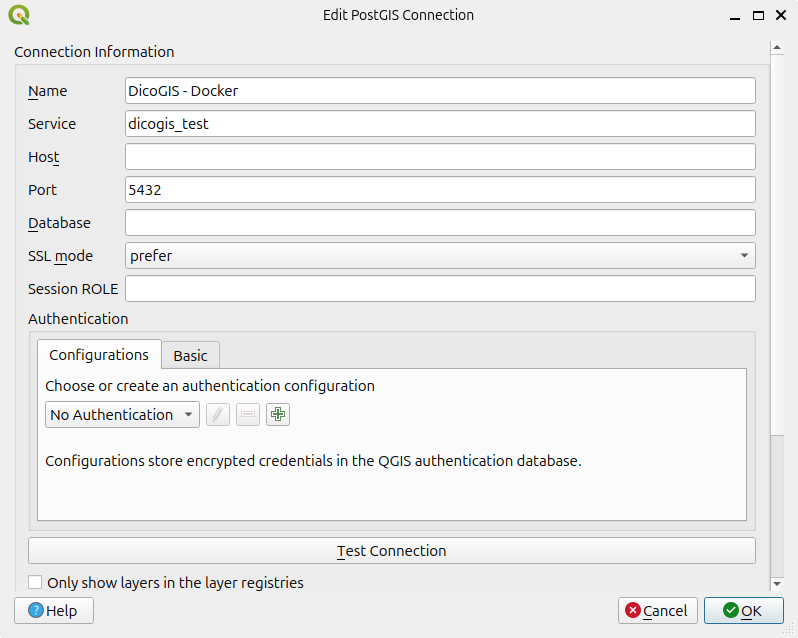
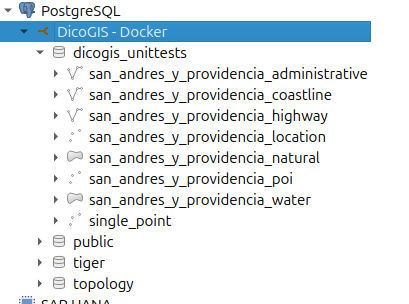
You can interact with the database:
Publish
Run an inventory with udata output:
PGSERVICEFILE="./tests/fixtures/database/pg_service.conf" dicogis-cli inventory --language FR --output-format udata --pg-services dicogis_test --output-path ./tests/fixtures/tmp/udata
Publish it to the local instance:
dicogis-cli publish --input-folder ./tests/fixtures/tmp/udata --udata-organization-id OOOOOOOOOOOOOOOO --udata-api-url-base http://localhost:7010/api/ --udata-api-key XXXXXXXXXXXXXXXXX
Run tests suite
pytest
Publish CI tests
Two separate CI checks cover uData publication:
tests/test_cli_publish_udata.py(run as part of the regularpytestsuite): exercisesdicogis-cli publish’s logic against a mocked uData HTTP API (using theresponseslibrary), so it runs fast without any real infrastructure..github/workflows/tester_udata_publish.yml: a real end-to-end integration test, matrixed across uData’s current and previous major versions. It builds a minimal, version-pinned uData image fromudata/system(seetests/container/udata-pinned/, since theudata/udata:latestDocker Hub image doesn’t reliably expose whichudatarelease it bundles), boots it with MongoDB and Redis (tests/container/docker-compose.ci-udata.yml), bootstraps an admin user and API token, then runs a realdicogis-cli inventory --output-format udata+dicogis-cli publishand checks the dataset actually appears in the instance.